
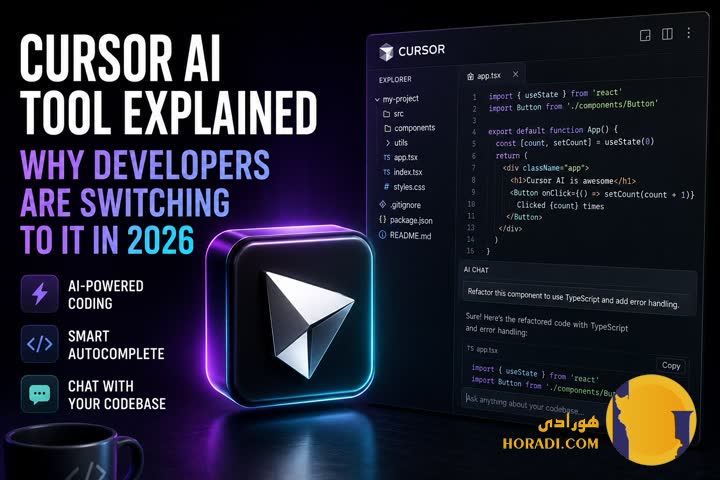
Cursor AI Tool Explained Why Developers Are Switching to It in 2026

Modern software development in 2026 looks very different from just a few years ago. AI-assisted coding environments are no longer experimental—they’re becoming the default.
Among them, Cursor AI has emerged as a serious contender, especially for engineers who want tighter integration between code editors and large language models. Built as an AI-native development environment, it pushes beyond autocomplete into full contextual programming assistance.
What’s driving its adoption isn’t hype—it’s workflow compression. Developers are looking for fewer context switches, faster debugging loops, and cleaner integration between intent and implementation.
Cursor AI sits directly in that gap. Technology Ai News
Key Takeaways
- Cursor AI is an AI-native code editor built for contextual development workflows
- Developers are switching due to speed, context awareness, and workflow integration
- It competes directly with tools like GitHub Copilot and traditional VS Code setups
- Enterprise teams are adopting it for productivity and onboarding efficiency
- 2026 trends show rising demand for “agentic coding environments”
What Cursor AI Actually Is in 2026
Cursor AI is best understood as a forked AI-enhanced development environment built on modern editor architecture. It integrates deeply with large language models instead of treating them as plugins.
Unlike traditional IDE extensions, it operates at the project level, indexing entire codebases for contextual reasoning. That shift matters more than most developers initially realize.
It is widely referenced in developer circles alongside tools like GitHub Copilot and ChatGPT-based coding assistants from OpenAI.
The key difference is structural Cursor is not an add-on—it’s an environment designed around AI-first development.
Why Developers Are Moving Away from Traditional IDE Workflows
Traditional IDEs require constant switching between editor, browser, documentation, and terminal. That fragmentation slows iteration cycles.
Cursor reduces that overhead by embedding reasoning directly into the editor. Developers interact with code and explanations in the same interface.
A typical workflow comparison
| Task | Traditional IDE | Cursor AI |
|---|---|---|
| Debugging | Manual + Stack Overflow | Inline AI reasoning |
| Refactoring | Multi-step edits | Context-aware automation |
| Learning codebase | Documentation-heavy | AI code walkthroughs |
This consolidation is the main reason adoption is accelerating.
Developers aren’t just saving time—they’re reducing cognitive load.
Core Architecture Behind Cursor AI
At its core, Cursor AI relies on context-aware indexing systems that map entire repositories into structured embeddings.
This allows it to answer questions like “Where is authentication handled?” with direct navigation and explanation.
It integrates with model backends similar to those used in OpenAI-based systems, enabling reasoning over large codebases.
The result is not just autocomplete, but semantic understanding of software structure.
AI Pair Programming The Real Shift
The concept of “pair programming” has evolved into something closer to AI-driven collaborative coding.
Cursor AI acts as a persistent collaborator that understands long-term project context, not just the current file.
Developers often use it to
- Generate refactored modules
- Explain legacy systems
- Suggest architecture improvements
Unlike older tools, it doesn’t reset context after each query.
That persistence is what makes it feel less like a tool and more like a teammate.
Performance Compared to VS Code Ecosystem
VS Code remains dominant, but Cursor introduces a different performance model.
Instead of relying on extensions, it integrates features natively, reducing latency and plugin conflicts.
Benchmarks from developer communities show
- Faster multi-file edits in large repos
- Lower context switching overhead
- Improved debugging iteration speed
However, VS Code still leads in extensibility and ecosystem depth.
Cursor wins in focus-driven workflows, not plugin diversity.
Enterprise Adoption Trends in 2026
Enterprises are increasingly evaluating Cursor AI for onboarding and productivity scaling.
Engineering teams report faster ramp-up times for new developers because AI explanations reduce dependency on tribal knowledge.
Industries adopting it most aggressively include
- Fintech platforms
- SaaS infrastructure teams
- AI-first startups
Large organizations are still cautious due to governance concerns, but pilot programs are expanding.
The trend mirrors early adoption phases seen with GitHub Copilot inside Microsoft ecosystems.
Pricing and Accessibility Considerations
Cursor AI follows a tiered subscription model aligned with developer usage intensity.
Typical structure includes
- Free tier for individual experimentation
- Pro tier for professional developers
- Team/enterprise tiers for collaboration features
Cost justification is usually tied to time saved per sprint cycle.
In many cases, companies treat it as a productivity tool rather than a developer expense.
Security and Code Privacy Concerns
Security remains one of the most debated aspects of AI coding tools.
Cursor AI addresses this through local indexing options and controlled API routing depending on configuration.
Still, enterprises evaluate risks such as
- Code exposure through external model calls
- Compliance with internal IP policies
- Data residency requirements
Comparisons with Microsoft’s GitHub Copilot highlight similar concerns across the industry.
No AI coding tool in 2026 is completely free of governance scrutiny.
Real-World Developer Use Cases
In practice, Cursor AI is used across a wide range of scenarios beyond simple coding assistance.
Common real-world applications include
- Debugging production-level microservices
- Migrating legacy systems to modern frameworks
- Rapid prototyping of API layers
One fintech engineering team reported cutting refactor time by nearly 30% using AI-assisted navigation alone.
That kind of efficiency gain is driving its adoption more than feature lists ever could.
Limitations and Tradeoffs Developers Still Face
Despite its strengths, Cursor AI is not a universal replacement for traditional workflows.
It struggles with
- Highly ambiguous business logic
- Large-scale architectural decision-making without human guidance
- Edge-case-heavy systems requiring domain expertise
It also introduces dependency risk if teams rely too heavily on AI-generated structure.
Experienced engineers often use it as an accelerator—not an authority.
Future of AI-Native Development Environments
The direction of tools like Cursor AI points toward fully agentic development environments.
Instead of writing every function manually, developers will increasingly define intent and constraints.
Systems inspired by OpenAI research and broader industry experimentation suggest future IDEs will
- Autonomously refactor codebases
- Simulate architecture decisions
- Continuously optimize performance
Cursor is one of the early implementations of that trajectory.
Whether it becomes the dominant standard depends on how well it balances control and automation.
Final Verdict
Cursor AI represents a meaningful shift in how software is written in 2026. It is not just another IDE enhancement but a structural rethink of developer workflow.
Backed by broader ecosystem momentum from OpenAI, Microsoft GitHub Copilot, and the wider Stack Overflow developer community, it sits at the center of a rapidly evolving coding paradigm.
Its strengths are clear speed, context awareness, and workflow consolidation. Its weaknesses are equally clear dependency risk and governance complexity.
For many teams, however, the tradeoff is already worth it.
FAQ
1. What is Cursor AI used for in software development? It is used for AI-assisted coding, debugging, and full-codebase navigation within a unified editor environment.
2. How is Cursor AI different from GitHub Copilot? Cursor AI operates as a full development environment, while Copilot functions primarily as an IDE extension.
3. Is Cursor AI suitable for enterprise use? Yes, but adoption depends on security policies, compliance requirements, and internal governance frameworks.
4. Does Cursor AI replace traditional coding skills? No. It enhances productivity but still requires strong engineering judgment and architectural understanding.
5. What are the main risks of using Cursor AI? Key risks include over-reliance on AI-generated code, potential security concerns, and reduced manual oversight in complex systems.